
FiveM EUP Maker
Design custom uniforms for your roleplay server, right here in the browser: pick a department color, stamp your badges, logos and lettering onto a real GTA V style ped, and download the texture for free. The hours of OpenIV and Photoshop work become minutes.
Free · no login · works on the 3D model below · need a full pack? Open the free EUP studio →
This page is the quick designer. Want the full editor?
The EUP studio paints on 4,800+ real GTA V garments and accessories from every GTA Online update, with a live 3D preview, and exports a complete streamable clothing pack (.ydd/.ytd + fxmanifest.lua). Free. Honestly, free: your first pack needs no login at all.
Department preset
Garment
Badges, logos and lettering
Both are free, no account needed: this quick designer downloads the texture, and the full EUP studio paints on real game templates and exports a streamed FiveM clothing resource (.ydd/.ytd + fxmanifest.lua). i
Every department on your server, one uniform maker
From LSPD patrol shirts to mechanic overalls: templates for the jobs every FiveM roleplay city runs, each one recolorable and brandable for your community.
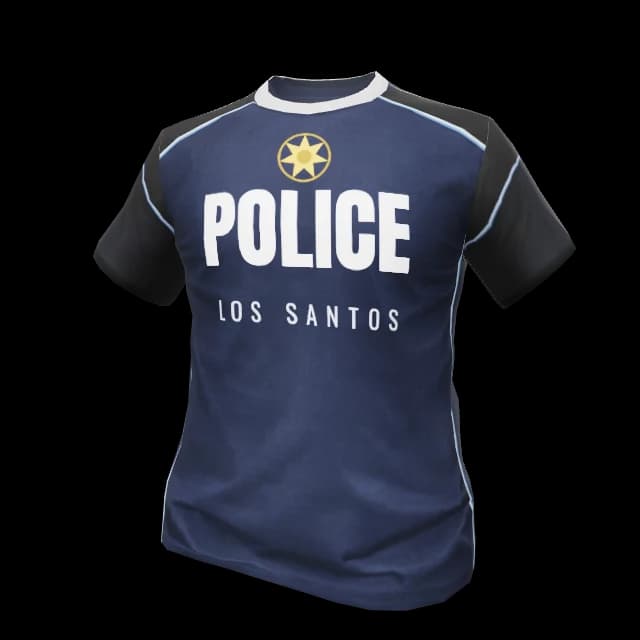
Police (LSPD)
Patrol and duty shirts in navy, with your badges and lettering.
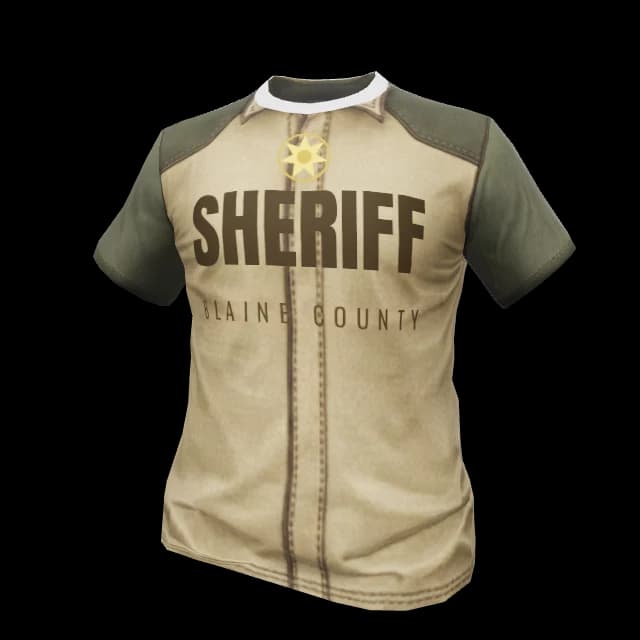
Sheriff (BCSO)
Khaki sheriff uniforms with star badge and county branding.
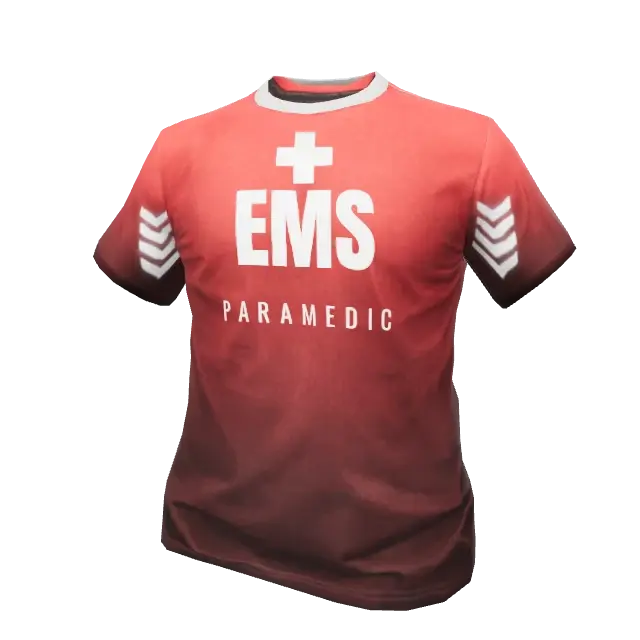
EMS & Medical
Paramedic uniforms in medic red with unit lettering.
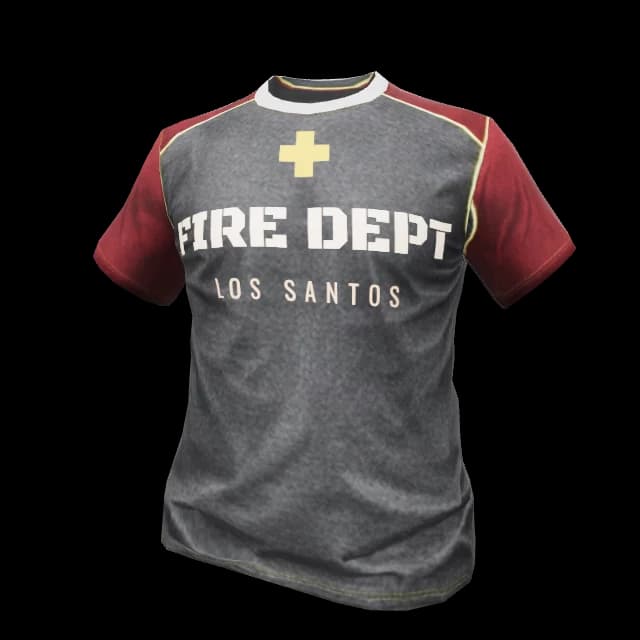
Fire Department
Station wear and duty shirts for your SAFD roster.
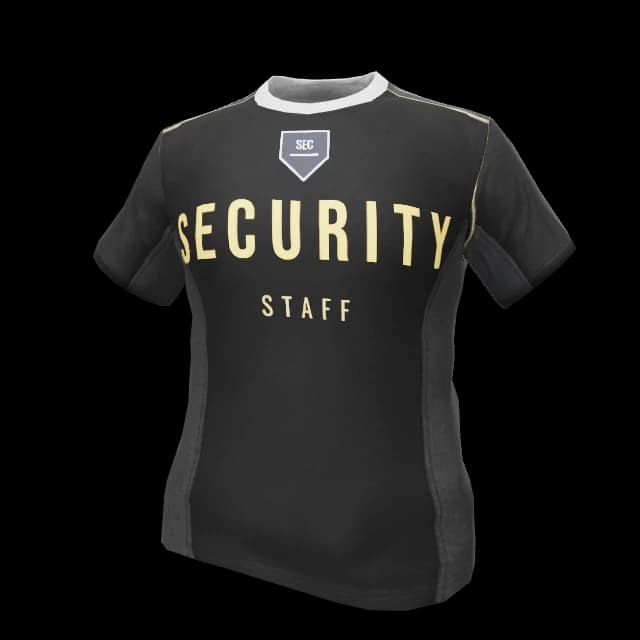
Security Firms
Black contractor uniforms with company logo placement.
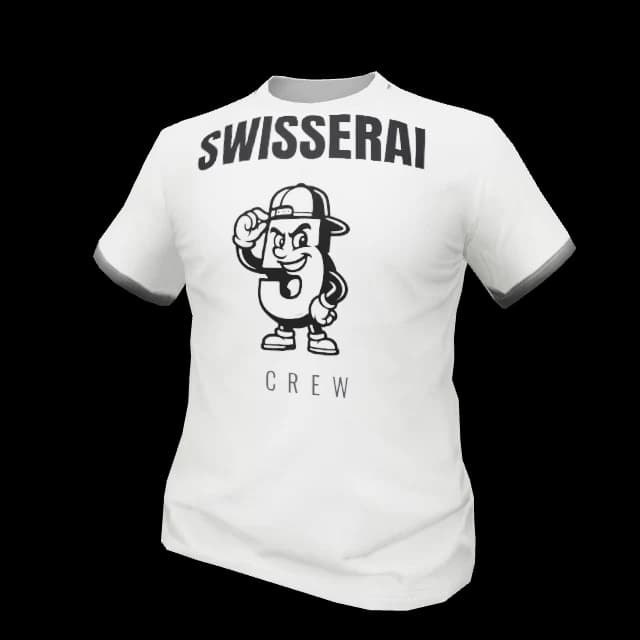
Crews & Businesses
Work shirts and staff fits for every civilian job on the server.
All six shirts above are AI-designed in the studio, same garment your players wear in-game. Fabric, lettering and badges are yours to change.
How to make custom EUP uniforms for FiveM
Three steps from template to server. No desktop software at any point.
Pick a department color
Start from the police, sheriff, EMS, fire, security or crew preset, or pick any custom color. The shirt on the 3D ped recolors instantly.
Stamp badges and lettering
Type your department lettering or upload a logo, then click the spot on the shirt where it belongs. No Photoshop layers, no game restart, no UV guesswork.
Download your design
Grab the finished uniform texture as a free PNG right away — or open the free EUP studio to paint on real game templates and download a streamed FiveM clothing resource with fxmanifest.lua.
A ready-to-stream FiveM clothing resource
The download is not a pile of textures. It is a complete resource your server can ensure immediately, with every file named the way GTA V expects.
YTD Texture Dictionaries
Your uniform textures compressed to GTA V DDS format
YDD Drawables
Clothing components mapped to the right freemode slots
fxmanifest.lua
Resource manifest, ready for ensure in your server.cfg
Correct Component Naming
mp_m_freemode_01 and mp_f_freemode_01 naming handled for you
Outfit Config
Component and texture IDs as JSON for your clothing menu or EUP UI
Install Guide
A short README with the exact steps for your server
The OpenIV way vs. the EUP Maker
Making EUP for FiveM traditionally means juggling three desktop tools and praying the file names are right. This is what changes.
What is EUP in FiveM?
EUP originally stands for Emergency Uniforms Pack, a famous GTA V mod that added realistic police, sheriff, EMS and fire uniforms. In the FiveM world the name has grown into a category: when server owners say they need EUP, they mean custom uniforms and clothing streamed to their roleplay server.
Under the hood an EUP pack is a set of clothing components for the GTA V freemode peds (mp_m_freemode_01 and mp_f_freemode_01): YDD drawable files for the meshes and YTD texture dictionaries for the designs, all following a strict naming convention so the game picks them up.
Why is making EUP so painful?
The classic workflow chains three desktop tools: OpenIV to extract and repack game files, Photoshop or GIMP to edit uniform textures on top of hard-to-find templates, and sometimes Blender for mesh work. Every iteration means exporting, renaming files by hand and restarting FiveM just to see the result.
The naming convention is the silent killer: a single typo in a file like mp_m_freemode_01^upper_012.ydd and the clothing simply never appears in game, with no error anywhere. That is why so many server owners pay for commissions instead of building their own uniforms.
What the EUP Maker changes
The EUP Maker moves the whole loop into the browser. Presets replace the PSD hunt and the live 3D preview replaces game restarts: recolor, stamp, done. The free EUP studio writes every file name and the fxmanifest.lua for you — built on the same pipeline that already powers our GLB to FiveM converter and 3D asset tools, and free to use without a login.
You keep full ownership of what you design. Your uniforms are your server's identity, and the exported resource belongs to you.
Who is it for?
Server owners who want department uniforms that match their city instead of the same packs every other server runs. Staff teams who need a new agency kitted out by the weekend. And clothing creators who want to spend their time on design, not on file plumbing.
If you run a QBCore, Qbox, ESX or vMenu based roleplay server and your clothing menu can read streamed components, the packs from the EUP Maker will slot straight in.
FiveM EUP Maker FAQ
EUP stands for Emergency Uniforms Pack, and in the FiveM community the term has become shorthand for any custom uniform or clothing pack streamed to a roleplay server. Police, sheriff, EMS, fire and security outfits are the most common. Technically, an EUP pack is a set of clothing textures and models for the GTA V freemode peds that your server streams as a resource and players select through a clothing menu.
It lets you design custom uniforms for your FiveM server directly in the browser. The quick designer on this page recolors and stamps a 3D ped live; the full EUP studio paints on real GTA V clothing templates with a live 3D preview and exports a ready-to-stream FiveM clothing resource with correctly named files and a fxmanifest.lua, free and with no login.
Yes. Both the designer on this page and the full EUP studio are free without an account — the same model as our GLB to FiveM converter. The free studio covers one garment with one texture per pack and a few builds per hour; a free SwisserAI account unlocks multi-garment packs, a-z texture variants, mixed male/female packs and in-game photo renders of every outfit. Account packs cost 50 credits for up to three garments, plus 25 credits for each further garment, with texture variants included. There is no limit on pack size.
No. That is the entire point. The traditional EUP workflow requires OpenIV to extract and repack files, Photoshop or GIMP for texture work, and often Blender for mesh edits. The EUP Maker runs the whole design and packaging flow in the browser, so you never touch any of those tools for standard uniform work.
The exported pack is a standard streamed clothing resource, so it works with any setup that reads GTA V clothing components: illenium-appearance, qb-clothing, esx_skin, fivem-appearance, vMenu and EUP menus. The download includes the component and texture IDs as JSON so you can wire the outfits into your menu or job wardrobe quickly.
Yes. Launch templates cover police (LSPD style), sheriff (BCSO style), highway patrol, EMS, fire department, DOJ, security firms and generic staff or crew outfits. Every template can be recolored and branded for your city, and blank templates let you build something completely custom for gangs, businesses or civilian jobs.
A complete FiveM clothing resource: YDD drawable files for the clothing components, YTD texture dictionaries with your design, correct mp_m_freemode_01 and mp_f_freemode_01 component naming, a fxmanifest.lua, an outfit config JSON with the component and texture IDs, and a short install README.
Drop the downloaded resource folder into your server resources directory, add an ensure line for it in your server.cfg, and restart. The uniforms then show up in your clothing menu under the component and texture IDs listed in the included config file. The README in the download walks through it step by step, and so does our install guide.
No. The Emergency Uniforms Pack is a well-known community mod with its own authors and rules. The SwisserAI EUP Maker is an independent design tool: it creates your own original uniform textures and clothing resources from our templates. It does not include or redistribute files from the EUP mod.
No. The free EUP studio exports a complete streamed clothing resource (.ydd/.ytd files plus fxmanifest.lua, README and a /trypack test command) without a login. A free SwisserAI account unlocks the full studio (multi-garment packs, texture variants and photo renders) plus the GLB to FiveM converter history, the AI script generator and the animation tools.
Live now on SwisserAI
FiveM EUP Merger
Combine all your clothing and EUP packs into one streamed resource — conflicts resolved automatically. Free, no login.
Merge your packsGLB to FiveM converter
Turn any 3D model into a FiveM-ready prop resource with collision and fxmanifest. Free, no login.
Convert a modelAI script generator
Production-ready FiveM Lua for QBCore, Qbox and ESX, grounded on the real framework APIs.
Generate a scriptVideo to animation
Convert video clips into drop-in FiveM .ycd animations with a browser preview on real peds.
Create an animationOften used next
Tools that pair with EUP Maker on a FiveM server.
Build your first clothing pack right now
The free EUP studio paints on real GTA V clothing templates and downloads a streamable clothing resource — no login, no install. Try it on your server in minutes.