
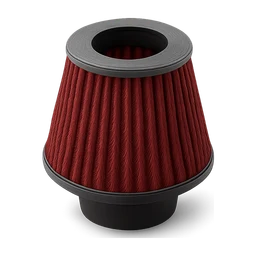
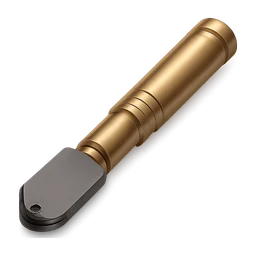
Large Cold Air Intake Filter inventory icon
A free, transparent, game-ready Large cold air intake filter icon for FiveM inventories. Centered on a square canvas with an even margin, background removed, ready for ox_inventory, qb, ESX and qs.
large_cold_air_intake_filter.pngsuggested file nameDownload
PNG for maximum compatibility, WebP 100x100 for the smallest game-native file. Both keep transparency.
Add Large cold air intake filter to ox_inventory, QBCore or ESX
Add to ox_inventory/data/items.lua
['large_cold_air_intake_filter'] = {
    label = 'Large Cold Air Intake Filter',
    weight = 100,
    stack = true,
    close = true,
},
Image goes in ox_inventory/web/images. Set the weight to what fits your server.
Add to qb-core/shared/items.lua
large_cold_air_intake_filter = { name = 'large_cold_air_intake_filter', label = 'Large Cold Air Intake Filter', weight = 100, type = 'item', image = 'large_cold_air_intake_filter.png', unique = false, useable = true, shouldClose = true, description = '' },Image goes in qb-inventory/html/images. Set the weight to what fits your server.
Add to items table in your database
INSERT INTO `items` (`name`, `label`, `weight`, `rare`, `can_remove`) VALUES
('large_cold_air_intake_filter', 'Large Cold Air Intake Filter', 1, 0, 1);
Image goes in your inventory images folder (ox_inventory/web/images on ESX Legacy). Set the weight to what fits your server.
Save the image as large_cold_air_intake_filter.png so the file name matches the item name, then restart the inventory.
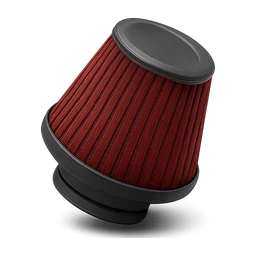
More Large cold air intake filter icons
Other takes on Large cold air intake filter from the community. Pick the one that fits your inventory.
More inventory icons
Other ready-to-use item icons from the library.









Not the Large cold air intake filter you need? Generate your own.
A free account starts with 250 credits. That covers 10 icons, no card needed.