
FiveM Inventory Icons
3,387 free inventory images and item icons for ox_inventory, qb, ESX and qs. Every one is transparent, background removed, centered on a 100x100 square and only a few KB. Search for what you need and download the PNG or WebP.
Need one that is not here yet? Generate it on this page in about 15 seconds. A free account covers your first 10 icons, and the whole library stays free to download.





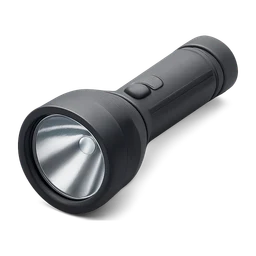
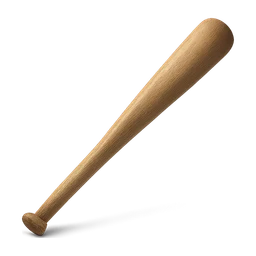

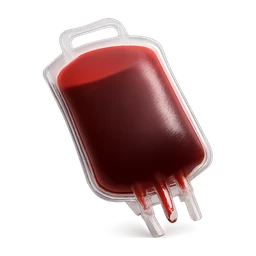




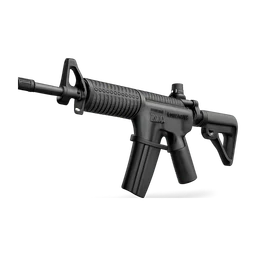
Need an icon that is not here? Generate it.
A free account starts with 250 credits. That covers 10 icons, no card needed.
Browse by category
Every icon is in the search above. These are the groups people ask for by name, each on its own page.
Drop straight into your inventory
Inventories load item art by file name. Name the file like the item, keep it transparent and square, and it shows up. That is the whole integration.
ox_inventory
Drop the file into ox_inventory/web/images. Icons match by item name, so name the file like the item (bandage.png) and it shows up. WebP works in NUI too.
qb-inventory
Copy into qb-inventory/html/images (older builds) or the images folder your version uses, then set the image field on the item to the file name.
ESX / esx_inventoryhud
Place the PNG in the inventory resource images folder and reference it by the item name in your items table. Standard 100x100 transparent PNGs.
qs-inventory & others
Any inventory that loads item art by file name works the same way: match the file name to the item, keep it transparent and square.
Built like real inventory art
An inventory icon has to be small, transparent and centered, or it looks wrong in the grid. Every icon here is normalized to that spec before you ever see it.
Transparent and centered
Every icon is background-removed and centered on a square canvas with an even margin, the way ox_inventory expects. No white boxes, no off-center art.
A few KB each
The WebP variants are around 2 to 4 KB at 100x100. Hundreds of item icons add up to less than a single screenshot, so your NUI stays light.
PNG and WebP, game-native sizes
Download a 100x100 or 256x256 file. PNG for maximum compatibility, WebP when you want the smallest size. Both keep the alpha channel.
Want a whole set at once? Take the starter pack
232 icons in one consistent style, sorted into 14 categories, with file names that match qb-core shared/items.lua. One ZIP, 23 MB. CC0, so it is free for any server, commercial ones included, and needs no credit.

Missing an item? Generate it
The library grows from what people need. Type an item name into the generator under the grid and a fresh icon comes back in seconds, then shows up here for the next person.
Type the item name
Write what you need: “gold watch”, “energy drink”, “lockpick”. One object per icon works best.
Get it in seconds
A transparent, centered, 100x100 icon comes back in about 15 seconds, ready to download as PNG or WebP.
It joins the library
Every generated icon appears on this page, so the more people make, the bigger the free library gets.
FiveM Inventory Icons FAQ
The de-facto standard is a 100x100 transparent PNG with the item centered and a small margin. ox_inventory, qb-inventory, ESX and qs-inventory all load icons this way. Every icon here is available as 100x100 and 256x256, and the WebP variants render fine in the NUI since it runs on Chromium.
Download the icon, rename the file to match your item name exactly (for example bandage.png), and drop it into ox_inventory/web/images. Restart the resource. ox_inventory matches icons to items by file name, so no config edit is needed beyond having the item defined.
Yes. Browse, preview and download any icon here for free, no account needed. They are generated for use as FiveM inventory art. The library is anonymous, so nothing about who requested an icon is shown.
Yes. Type the item name into the generator under the icon grid. A transparent, centered, game-ready icon comes back in about 15 seconds and then appears in this library for everyone. A new icon costs 25 credits, and a free account starts with 250 credits, which covers your first 10 icons. Browsing and downloading everything already in the library stays free. The item-icons channel in our Discord does the same thing if you prefer to work from there.
Use PNG if you want maximum compatibility and do not care about a couple of extra KB. Use WebP when you are adding a lot of icons and want the smallest possible NUI payload. The FiveM NUI runs on Chromium, so WebP with transparency displays correctly.
Yes. Both load item art by file name from an images folder, the same model as ox_inventory. Put the file where your inventory resource keeps its images and reference it by the item name. The icons are plain transparent squares, so they fit any inventory UI.
More on item art is in the guide to using images in FiveM.
More free FiveM tools on SwisserAI
FiveM EUP Maker
Design custom EUP clothing packs on real GTA templates with a live 3D preview. Free, no login.
Design clothingResource Merger
Combine prop and asset packs into one streamed resource, collisions checked. Free, no login.
Merge resourcesFiveM Handling Editor
Tune a car's handling.meta and see top speed, 0-100 and a lap estimate before you restart. Works with addon cars. Free, no login.
Tune a carOften used next
Tools that pair with Inventory Icons on a FiveM server.
Grab the icons your inventory is missing
Search the free library above, download transparent 100x100 PNG or WebP icons, and generate anything that is not there yet. No login to download, no watermarks.